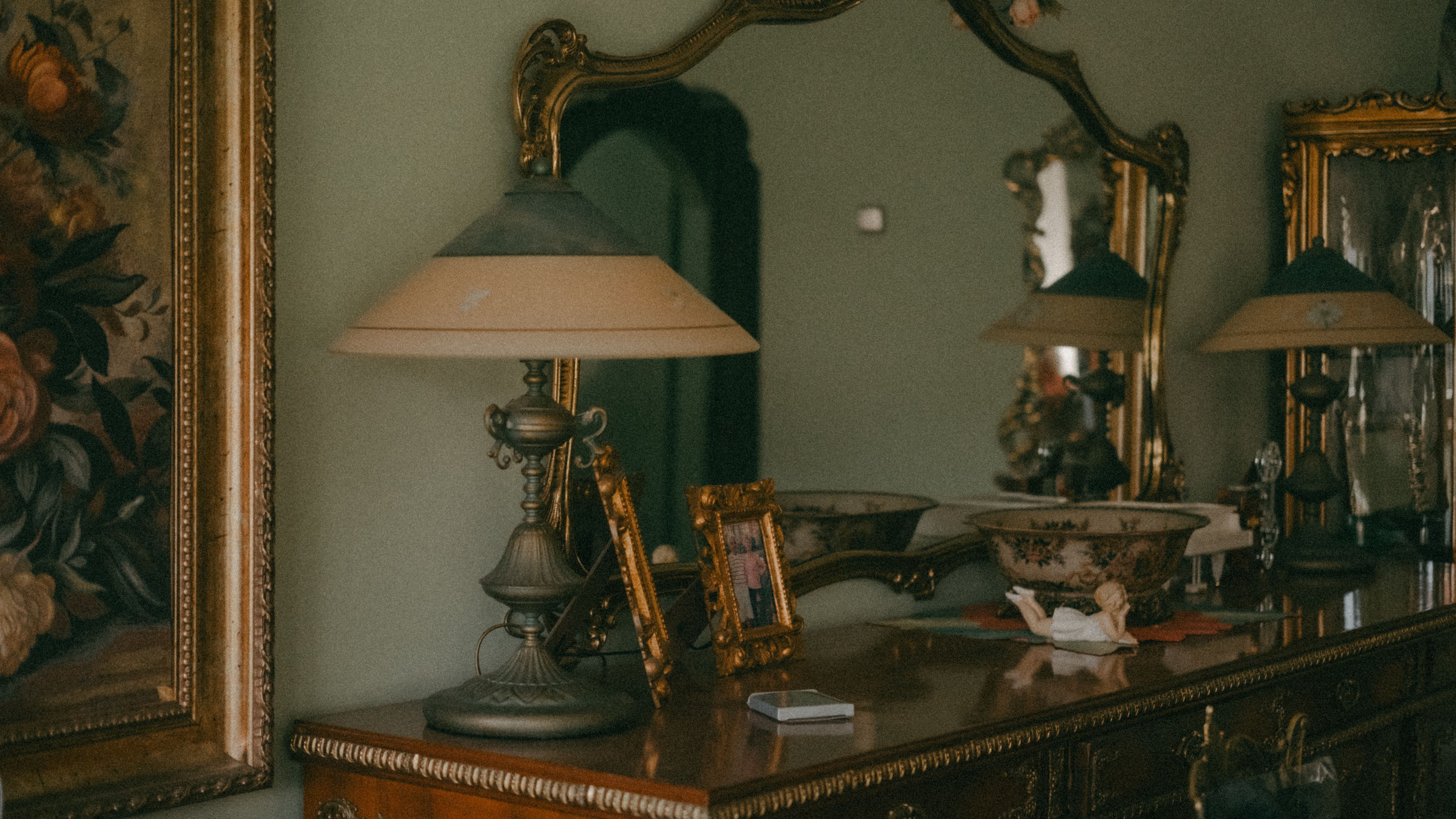
A haunted portrait works on the second look. The guest walks past a stiff old lady in a gilt frame, and on the way back she has green skin and eyes like lamps. A haunted mirror works the same way: it’s a mirror until a face shows up behind the glass. The printed and painted versions cost a frame and a few dollars of paper, film or paint; the moving ones need a screen.
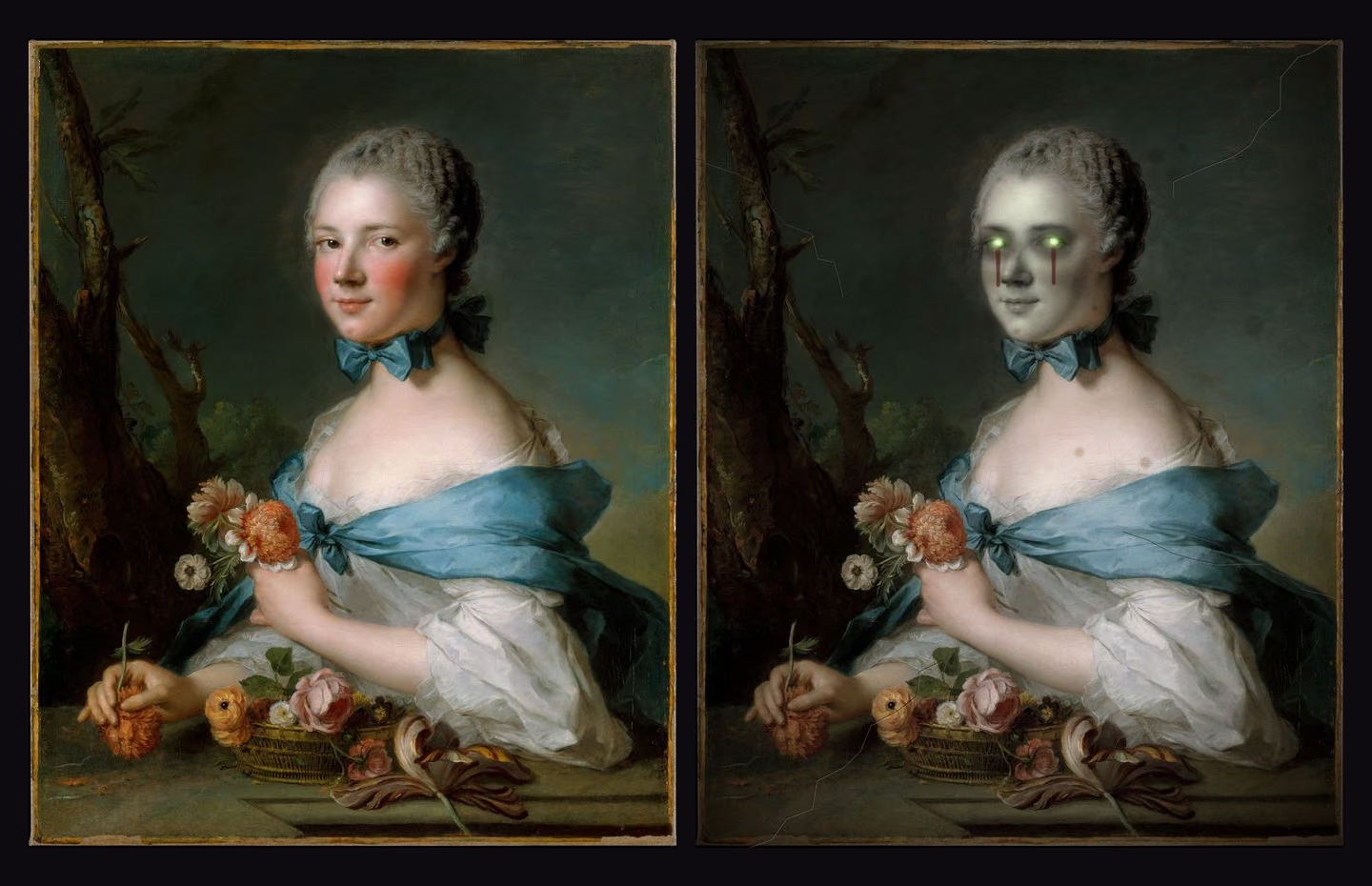
We made a free printable for the portraits: Changing Portraits, eight old paintings and drawings, each with a ghoul twin that lines up with it exactly.
Where the Portraits Come From
Every base picture in the set is from The Metropolitan Museum of Art’s Open Access program, which “makes images of public-domain artworks and basic data on all accessioned works in its collection available for unrestricted use under Creative Commons Zero (CC0)” (The Met, Open Access). The Met’s own terms add one condition that matters for altered art: “You must not use The Metropolitan Museum of Art’s trademarks or otherwise claim or imply that the Museum or any other third party endorses you or your use of the dataset” (The Met on GitHub). So every page of the printable credits the painting to the Met and the ghoul to us, and the contents page says the Met hasn’t reviewed or endorsed the altered versions.
All eight are titled only “Portrait of a Woman,” “Portrait of a Man,” “Portrait of a Lady” or “Study of a Woman’s Head,” so no real, named person gets turned into a ghoul. We left out pictures of children, anything in mourning dress, and the daguerreotypes, which are small plates inside their cases and too low in resolution for 8 x 10. The set runs from Rembrandt (1632 and 1633) and Nattier (1753) to American portraits by Charles Willson Peale, Gerrit Duyckinck and Samuel Lovett Waldo, plus a Greuze study head and a Saint-Mémin profile drawing.
The ghoul versions are drawn over the painting, not repainted: the face goes grey-green, a skull shows faintly through it, the eyes glow, and the edges pick up foxing and a few hairline cracks.
Framing the Pairs
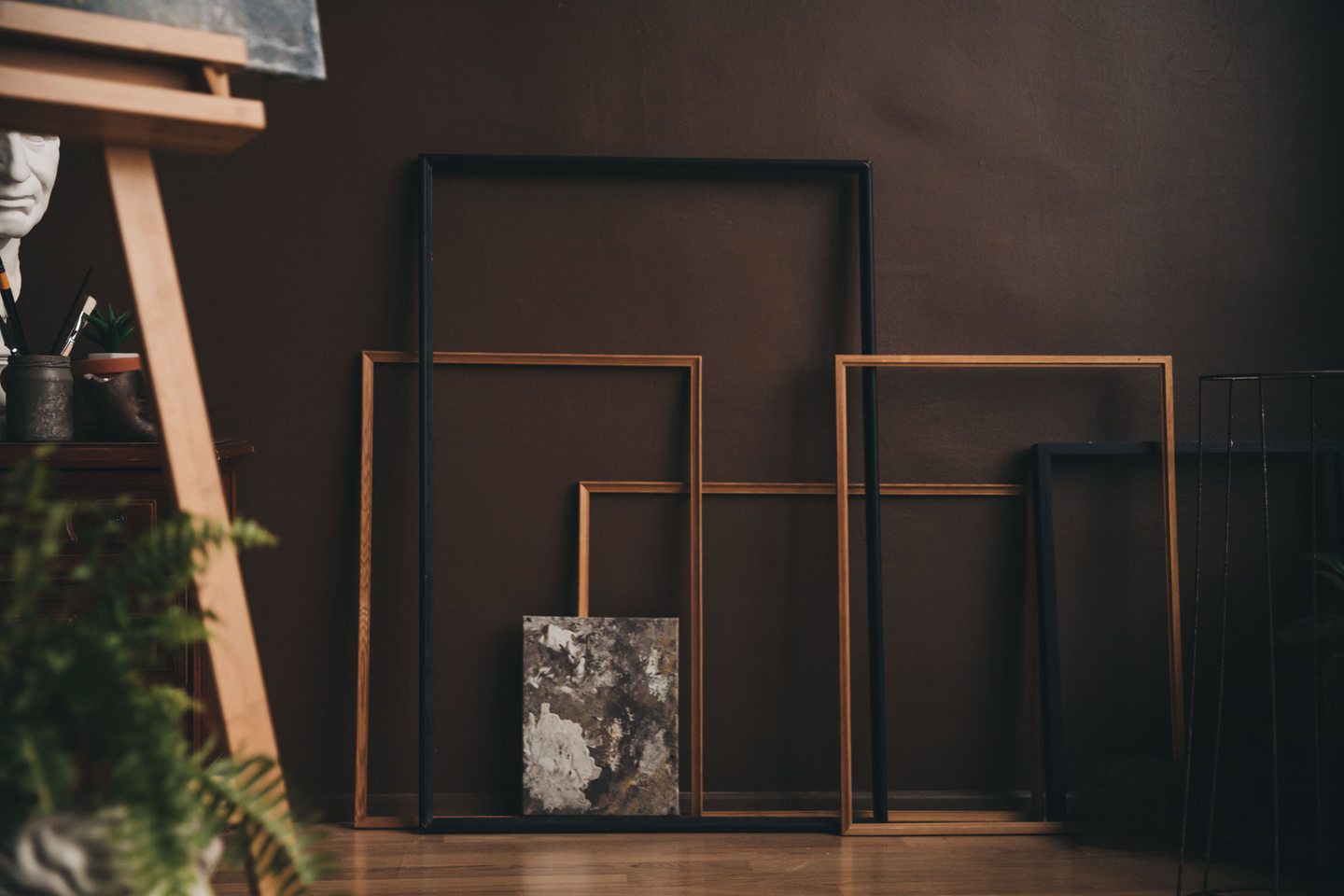
Print at 8 x 10. The pictures are 4:5, the same shape as an 8 x 10 frame. AtmosFX, which sells animated portraits for screens, gives the same rule for its own: “The physical frame(s) should have a 4:5 aspect ratio (i.e. 4x5, 16x20, 20x25, etc.)” (AtmosFX Help Center). A 5 x 7 isn’t 4:5, so the 5 x 7 file puts the picture over a dark nameplate band to fill the extra height. Print at 100%, not “Fit to page,” on matte paper. Gloss throws glare off a frame under a party light. Epson sells its Premium Presentation Paper Matte as “perfect for non-glare photographs” (Epson).

Epson Premium Presentation Paper, Matte, 8.5 x 11, 50 Sheets
Matte, so a portrait behind glass doesn't bounce the room's lights back at people. Epson calls the finish heavyweight and ultra-smooth. Print a portrait and its ghoul on the same paper and settings so they match.
The swap is the simplest version. Put the ghoul in the frame first, the portrait on top, and pull the portrait out once the party’s going. Frames with bendable tabs on the back make that a few seconds’ work.
Dollar-store frames: read the listing for the glass. Dollar Tree’s listing for its Special Moments 8x10 Gold Photo Frame says “The photo frame has a fragile glass panel,” and sells the frames online in a case of 12 for $18, or $1.50 each (Dollar Tree). Its listing for the Special Moments Traditional Gold Plastic 8x10 frames (a case of 15 for $22.50) doesn’t say what the front is made of (Dollar Tree). For a printed portrait either works. For the mirror projects below it matters, because the film and the mirror paint are both for glass only. Check in the store: plastic glazing is light, flexes, and sounds dull when you tap it.
Plastic frames can go gold. Krylon lists Plastic among the surfaces for its Premium Metallic spray, alongside Wood, Metal and Glass, with “Best results when temperatures are 55° F to 75°F and humidity is below 60%” (Krylon Premium Metallic). Take the glass or plastic front out before you spray.

Hongkee 8x10 Picture Frames, 4 Pack, Black, Real Glass
Four wood frames with real glass, so they also take mirror film or Looking Glass paint. The listing says they fit '8x10 inch photos no mat' and have flexible swivel tabs on the back, which is what makes the portrait-to-ghoul swap quick.
Lenticular Flips That Don’t Ghost
A lenticular sheet is a clear plastic sheet of tiny ridged lenses laid over a print that has two pictures sliced into alternating strips. From one angle you see the portrait, from another the ghoul. The obvious design, a sweet face that flips to a stark black-and-white skull, is the one most likely to fail. DP Lenticular, which makes the sheets, says in its design guidelines: “Using high contrast colours in your flip will probably cause ghosting where both images are visible together rather than a clean sharp flip from one to another.” Its advice instead: “It’s better if a flip effect covers only a part of the image rather than be an all over effect. Try and make the flip in similar colours and shades” (DP Lenticular guidelines). That’s why our ghouls keep the painting, the background and the clothes, and change the face.
The same guidelines cover the background: “DON’T use white as a background colour - it is more likely to cause ghosting. Try to avoid using really dark colours as a background as this will obscure the animation.” Several of the old portraits sit on near-black grounds, the Rembrandts most of all, so for a lenticular print pick one of the lighter pairs first (the Nattier, the Greuze or the Saint-Mémin drawing).
Pick 50 LPI or coarser. Sheets are sold by lenses per inch. DP Lenticular’s lens guide says “sheets with a pitch higher than 50 LPI are NOT recommended for inkjet printing” (DP Lenticular, lens choice). Plenty of craft sheets are finer than that, so check the number before you buy.
Measure the pitch before you interlace. “Before interlacing it is necessary to determine the exact size of the lens of the lenticular material, sheet or roll” (DP Lenticular, prepress), and DP’s worked examples use measured pitches like 75.54 LPI, not the round number on the label. Print the pitch test that comes with your sheets or your interlacing software, and use the band that flips cleanly. Then set the file resolution to the pitch times the number of pictures. DP’s example: “If the optical pitch is 75.54 LPI; you must scale your file to the final size (including bleed) to 151.08 dpi (75.54 LPI x 2 images)” (DP Lenticular, interlacing). That’s why we can’t hand you a ready-interlaced file: it would only match one printer and one batch of sheets. The download gives you each pair as two matching JPGs to interlace yourself.
Mind which way the ridges run. DP says “horizontal is better for flip and vertical is mandatory for 3D,” and that there is “cleaner action and far fewer chances of ghosting” with horizontal lenticules (DP Lenticular, technology). With the ridges running side to side, both eyes see the same picture and the face changes as the viewer’s eye height changes, walking up to it or bending closer. Vertical ridges make it change as someone walks past, which suits a hallway, at the cost of more ghosting.
Keep the nameplate plain. DP: “DON’T use serif or italic font styles. They lose definition under the lens.” Our nameplates are sans-serif for that reason. And proof before you commit a sheet: “For the first tests you can print on another substrate and place the sheet on top to see if it looks correct. This avoids wasting material!”
We’d frame a lenticular print without the glass: the laminated sheet is thick, and glass in front of the lenses adds glare.
Moving Portraits on a Screen
Put a screen behind the frame and the portrait can blink, turn its head or rot on a loop. AtmosFX sells a ready-made version: its UnLiving Portraits collection is $35, or $11 per scene, as 1080p MP4 files in horizontal and vertical versions, with “Portrait Frame or No Frame” framing options (AtmosFX). The no-frame files are the ones to put behind your own 4:5 frame. Our portrait pairs work on a screen too: load the two JPGs of one pair on a digital photo frame as a slow slideshow and let the change happen while nobody’s looking.
Playback. AtmosFX says to move only the .MP4 files to a phone or tablet, not the .ZIP, and that the player needs to show the video “in full screen without controls or titles visible” and in “loop” or “repeat” mode. It calls VLC “a very popular free video player that works on most platforms” (AtmosFX Help Center). A flash of black each time the loop restarts is the player, not the file: “Your device is loading the next video in your playlist, or the beginning of your decoration if you are looping just one decoration. The flash is not caused by your digital downloads” (AtmosFX Help Center).
Lock a tablet into the video. Apple’s iPad guide says “Many apps, such as Maps, video players, and reading apps, prevent iPad from locking automatically when they’re actively being used” (Apple, iPad Auto-Lock). To stop a guest from swiping out of the loop, use Guided Access (Settings > Accessibility > Guided Access). It restricts the device “to a single app,” has a Display Auto-Lock setting, and in the session options can “Ignore all screen touches.” Triple-click the top button on an iPad (the Home button on older models) to start a session. To pause or end one, triple-click again (double-click on iPadOS 18 or earlier) and enter the Guided Access passcode (Apple, Guided Access).
Heat and burn-in. An old OLED iPhone behind a 5 x 7 has its own limits. Apple’s page on iPhone OLED displays says “Burn-in can occur in more extreme cases such as when the same high-contrast image is continuously displayed at high brightness for prolonged periods” (Apple, iPhone display), so play a video, not a paused still, and turn the brightness down. Apple’s battery page says to “avoid exposing your device to ambient temperatures higher than 95° F (35° C), which can permanently damage battery capacity,” and that “Charging your device when it’s inside certain styles of cases may generate excess heat” (Apple, batteries). A tablet charging all night inside a closed frame box is close to that, so leave the back open or cut vents.

KECAG 10.1 Inch Digital Picture Frame, No WiFi Needed
Plays photos and video straight from an SD card or USB drive, no app. The listing claims a motion sensor that 'Automatically turns on when you walk by,' which turns a slideshow of one portrait pair into a portrait that wakes up when someone comes near. If the screen isn't 4:5, mask the sides with a mat.
AtmosFX publishes builds from its customers. Steve Hansen framed a monitor in foam or particle-board crown moulding cut at 45 degrees and sprayed it brass, which he likes because it “has a richer tone and immediately looks more aged,” then taped it to the monitor bezel with double-sided tape and hid a motion-sensor media player behind it: “This project took me a total of about two hours to complete” (AtmosFX community). Frank S. of Springfield, Virginia, runs three portraits in sync: “Each portrait is running a Raspberry Pi Zero configured to start at the same time as the other two” (AtmosFX community).
The Haunted Mirror: Film Goes on Clear Glass
The screen-behind-a-mirror gag runs on one rule, and Gila, which makes mirror window film, states it plainly: “Wherever the greater source of light is, that is the side where the mirror or reflectivity will be” (Gila FAQ). Film on clear glass looks like a mirror while the room is brighter than what’s behind it. Turn on a screen or an LED behind the glass and that side becomes the brighter one, and the face shows through.
That’s why the film goes on clear glass, not on a mirror. A household mirror’s reflective coat is on the back of the glass, and nothing behind the coat can shine through it, film or no film. Use the glass from a picture frame, film it, and put the screen behind it.
Gila’s install sheet for its Privacy Control Mirror film is written for windows (“Apply to the INSIDE surface of standard ⅛” glass panes”), so frame glass is off-label, but its prohibitions still apply (Gila install sheet):
- Glass only. “DO NOT apply film to materials other than glass, including plastic or plexiglass surfaces.” The FAQ says the same for all its adhesive films: “do not apply to plastic, Plexiglas, polycarbonate surfaces.”
- No old glass. “DO NOT apply film to glass that is more than 40 years old.” The thrift-store antique frame is exactly where you’ll want to use it, and it’s out. So is cracked, etched, frosted or deeply scratched glass.
- Clean it without glass cleaner. “DO NOT use household glass cleaner, vinegar or ammonia to clean the glass immediately prior to film application.”
- Work in the range. Apply “when glass temperature is between 45-90°F.”
- Give it a week. The film “fully ‘cures’ over the next week to 10 days,” and “During curing, the film may initially look hazy or cloudy.” Film the glass by mid-October.
- Keep the heat off. “Be careful not to warm the filmed glass too much, as this can cause the glass to break” (Gila FAQ). Put a screen or LEDs behind it, never a hot bulb.
Gila’s adhesive film “cannot be re-installed,” while “static-cling products can be re-applied” (Gila FAQ). For a Halloween-only mirror that’s a point for static cling. Gila’s own mirror film wasn’t in stock on Amazon when we checked, so the card below is a static-cling film instead.

Dwersty One Way Window Privacy Film, 17.5 x 78.7 in
The listing calls it static cling with 'no glue,' applied with soapy water, so it comes off after Halloween. Its own note gives the physics: the mirror effect holds 'when the light is stronger outside than inside' and disappears when the other side is brighter. One roll covers a lot of 8 x 10 frame glass.
AtmosFX customer Thomas D. of Santa Clara built the full version: a skeleton at a table staring into a one-way mirror, with a screen behind it playing a jump scare. “Our first trick-or-treater screamed and ran away,” he told AtmosFX. “But she did come back” (AtmosFX community).
Making a Mirror From Frame Glass
When you want an old, dark, slightly wrong mirror rather than a two-way one, spray paint turns picture-frame glass into a mirror. Krylon’s Looking Glass paint “Transforms clear glass into a highly-reflective, mirror-like surface,” and you “just spray on reverse side of glass.” It’s rated for interior use, dries to the touch in 15 minutes and to handle in 30, and covers 7 square feet a can (Krylon Looking Glass).
It wants mild, dry weather: “Best results when temperatures are 55° F to 75°F and humidity is below 60%.” Its safety data sheet carries the signal word “Danger,” calls it an “Extremely flammable aerosol,” says “Use only outdoors or in a well-ventilated area,” and says not to expose the can to temperatures over 122°F (Krylon Looking Glass SDS). A cold, damp October garage with the door shut fails on both counts, so pick a mild dry afternoon and spray outside or with the door open.
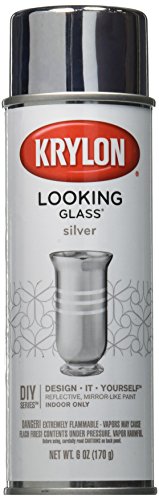
Krylon Looking Glass Mirror-Like Spray Paint, 6 oz
Sprayed on the back of clear frame glass, it makes a mirror you can draw cracks into and hang without risking a real one. Stay inside Krylon's 55 to 75°F, under-60%-humidity window, and spray outdoors or with good ventilation, as the SDS says.
The Cracked Mirror, Without Breaking One
Don’t smash a mirror for the cracked look. Federal glazing rules define tempered glass as glass that, “When fractured at any point, if highly tempered, the entire piece breaks into small particles.” Ordinary annealed glass is defined only by how it’s cooled, “so that it can be cut or subjected to other fabrication” (16 CFR 1201.2), and nothing says a wall or frame mirror is tempered. Break one and you’re picking up sharp pieces of a big sheet of glass.
Draw the cracks instead. Our method, on a Looking Glass mirror: before you spray, draw the crack on the back of the clear glass with a fine black paint pen, branching from one impact point, and spray the Looking Glass over it. The lines sit under the mirror coat and read as breaks in the glass. On a mirror you already own, draw the same pattern on the front with a white wet-erase or liquid-chalk marker (our method; test a corner first), and angle a light across it so the lines catch it.
For where to hang all of this, our haunted hallway guide covers the walk past, and the indoor decorating guide goes room by room. The bathroom mirror gag uses the same film rule, and for the paper side of a portrait wall, there’s our set of vintage Halloween prints.


